




eFlow · AI visual studio

Every visual your listing needs starts here.

Upload the property photos and ask for what you need in your own words: fix the scene, furnish the empty room, shift it to dusk, generate the video, lay out the flyer. Everything comes back ready to publish, in the same project as the property.

Create free account

No card · Starter credits included · 2 min to set up

BeforeAfter
Property exterior, before and after the day-to-twilight treatment in eFlow — After
Property exterior, before and after the day-to-twilight treatment in eFlow — Before

Several AI models underneath. One single flow on top.

Three steps, from listing to delivery.

01

Upload the property photos

Create the project, drag in the listing photos and write the brief in seconds. There is no software to install.

02

AI generates, you refine

The first version is ready in minutes. Ask for adjustments in natural language (“warmer sky”, “remove the car”) until it looks the way you imagined.

03

Download whenever you want

Get it in the right format for portals and social media, already carrying your agency’s identity.

The property flow

The property photos go in. Everything the listing needs comes out.

One project per property. The same photos feed every tool, in the order you work. You never re-import anything between them.

Input

Listing photo used as input in the eFlow studio (illustrative example)

The property photos

The ones you already have. A phone is enough.

  1. Improve the photo

    Photo Enhancer

    Tidy the scene, furnish the empty room, shift the photo to dusk.

  2. Write the copy

    eFlow Copy

    The listing text built from what the property is, ready to paste into the portal.

  3. Lay out the asset

    Design Studio

    Flyer, banner or post with the project’s photos and your agency’s brand.

  4. Make the video

    eFlow AI

    A tour cut from the same photos, in the format each network wants.

    See eFlow AI in action
  5. Video effects

    Video Creator

    One photo becomes a clip: the room gets tidied, furnished or filled with people — without moving the camera.

  6. Fine-tune by hand

    Video Editor

    Cuts, order and text in the editor, when you want the last word.

  7. Publish per portal

    Publicar

    Every asset comes out at the size the portal and the network ask for.

New product

eFlow AI: your photos become a finished video.

Upload the listing photos and eFlow AI turns them into a video about a minute long, ready to post and already in the right format for Instagram, TikTok and YouTube.

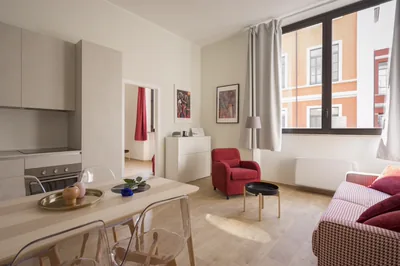
  • Listing photo used as input for eFlow AI (illustrative example)
    IMG_01
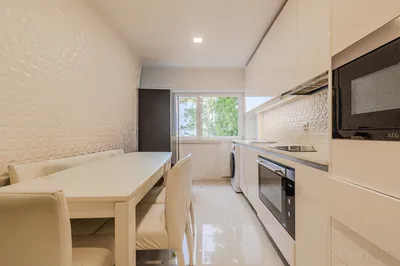
  • Listing photo used as input for eFlow AI (illustrative example)
    IMG_02
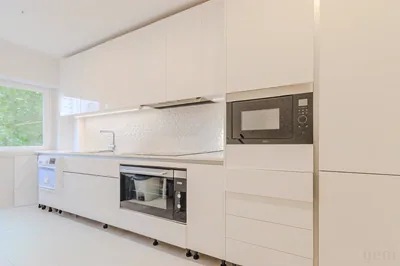
  • Listing photo used as input for eFlow AI (illustrative example)
    IMG_03
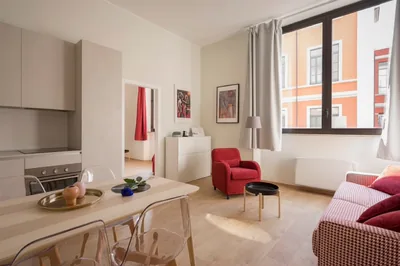
  • Listing photo used as input for eFlow AI (illustrative example)
    IMG_04
  1. The photos you already have

    You upload the listing material exactly as it is, without booking a shoot or installing anything.

  2. The AI analyses each room

    Framing, light and room order are read photo by photo to build a tour with rhythm.

  3. The video comes out finished

    About a minute long, already in the right format for wherever the listing lives.

  • 9:16Reels, TikTok & Shorts
  • 16:9YouTube & listing portals

Under the hood

We run on the industry’s reference AI models.

  • Gemini
  • KlingAI
  • Wan
  • OpenAI

Real examples

Every pair here came out of the product itself.

Nothing here is a mock-up: the photograph went into Photo Enhancer, the treatment was requested on the client screen, and the file came back the way it comes back to you. Pick a treatment and drag the comparison.

BeforeAfter
Furnish an empty room — the same photograph before and after the treatment — After
Furnish an empty room — the same photograph before and after the treatment — Before
Furnish an empty roomgenerated in Photo Enhancer

Puts furniture into an empty or bare space.

The photograph

The property

The land

11 treatments, 11 real pairs. Each request draws credits from your plan and comes back in minutes.

What changes in your day

Predictable from request to publication.

Count on 10 to 15 minutes to the first version, and every generation spends credits from your plan, so you know what it costs before you ask for it.

project per property
1
Photos, video and assets stay linked to the same property. You never re-import anything between tools.
one-off quotes
0
Every action spends credits from your plan, and a bigger plan means more credits per month. No product is ever locked.

Who it’s for

Built for people who sell property every day.

Paying a photographer, a videographer and an editor was never on the table

You have always published with whatever you could do on your own. Here the input is the photos you already have. No new shoot, no gear, no software to install.

Everything you need

  • The property photos, taken on your phone
  • A free account, no card
  • The request written in your own words
You already pay someone to do it, and you want it faster

You keep getting the material from your photographer. What changes is what comes after: you ask for the next version in your own words, instead of waiting on someone else’s calendar.

What changes

Today
One calendar per asset: photographer, videographer, editor.
With eFlow
One project per property, and the next version asked for by you when you need it.

You still publish the photos exactly as they came out

The problem is not the property. It is the first image. See the same property before and after it goes through the studio, and decide for yourself.

Living room of a property, the original photograph straight out of the cameraBefore
The same room after eFlow removed the clutter and the personal belongingsAfter
The same file, before and after "Tidy the room". A real generation, made in the product.

Services

You generate, refine and ask again, without depending on anyone.

Your agency’s brand

Your logo and your colors on every delivery.

Refine by prompt

Ask for adjustments in natural language (“warmer sky”, “remove the car”) and get a new version in minutes.

As many versions as you need

Ask again whenever you want, without waiting for third-party review. Each request uses your plan’s credits.

Pricing

Credits unlock everything that is open.

Every product takes credits. None of them is reserved for a plan, so what a bigger plan buys you is volume.

eFlow plan comparison: price, credits per month and what is included.
Início50 credits/monthMost chosenProfissional200 credits/monthEstúdio700 credits/month
Per month€29.00€99.00€299.00
Listings per monthfewer than 1~3~13
Property videoIncludedIncludedIncluded
Images, copy and marketing assetsIncludedIncludedIncluded
Get startedStartStartStart

An estimate based on a typical listing of 50.9 credits: 8 photos in a 30-second video, plus one enhanced photo and one listing description. Spend less per listing and you get more.

The plans differ only in how many credits you get per month. You choose by how much you publish, not by what you are allowed to use. Every product takes credits on every plan.

  • Cancel whenever you want, no minimum term
  • If the month’s credits run out, one-off credits kick in automatically
  • Start with no card, with credits to try it out

Need more than this? The Agência plan is €899.00 per month. Talk to us

See the full table

Amounts in euros. Applicable VAT is shown at checkout.

Frequently asked questions

Still have questions?

Ready to publish better?

eFlow treats the photos, furnishes the empty room and generates the video. Whatever does not come out the way you wanted, you ask again in your own words.

Cookies on this site

We use one essential cookie to keep you securely signed in (the app can’t run without it). The optional ones only measure usage, through Google Analytics and PostHog, and are loaded only if you accept.

Learn more